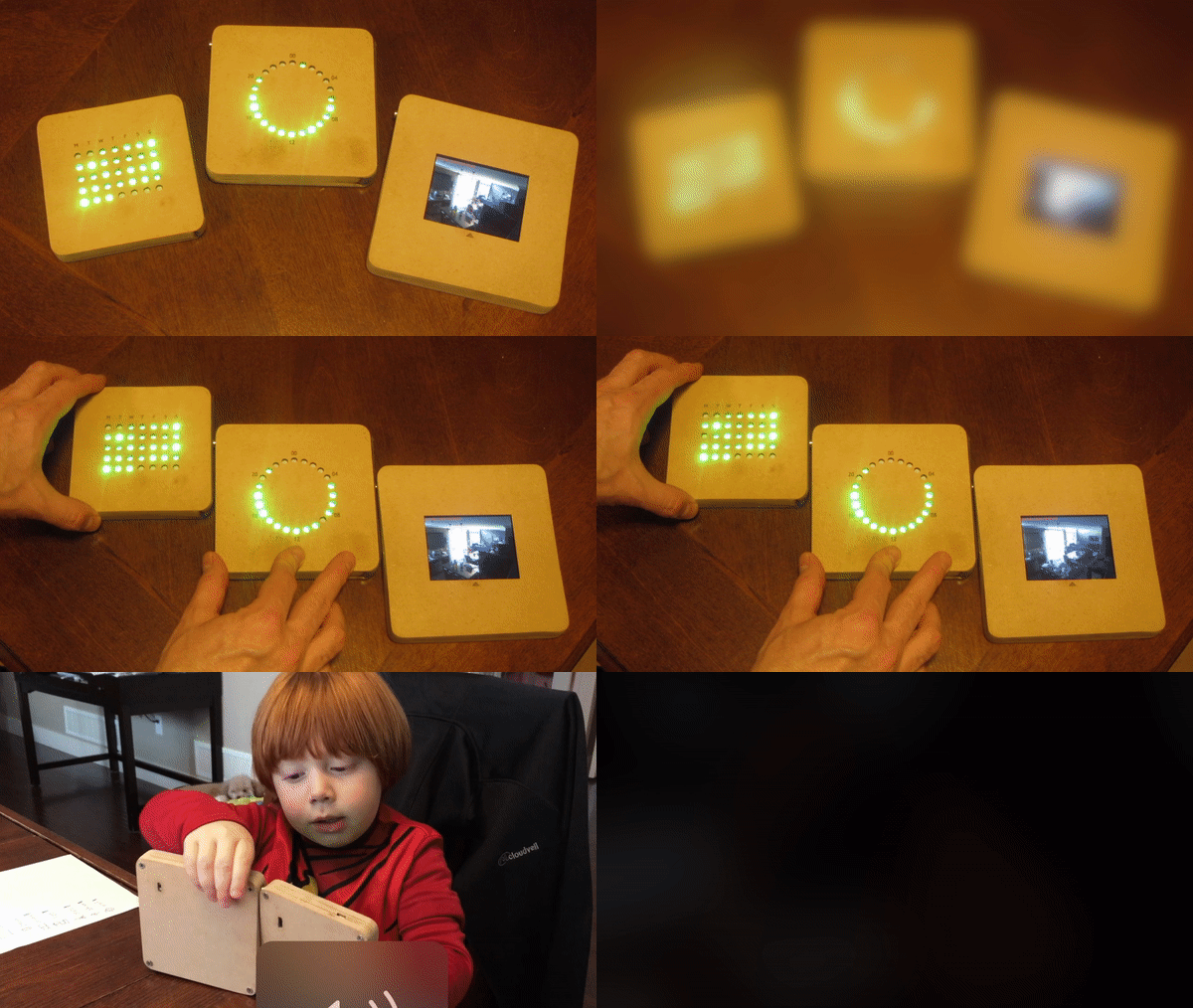
AWS myApplications

An application-centric experience for managing and monitoring resources across accounts, regions, and services.
Jun 2022 – May 2023
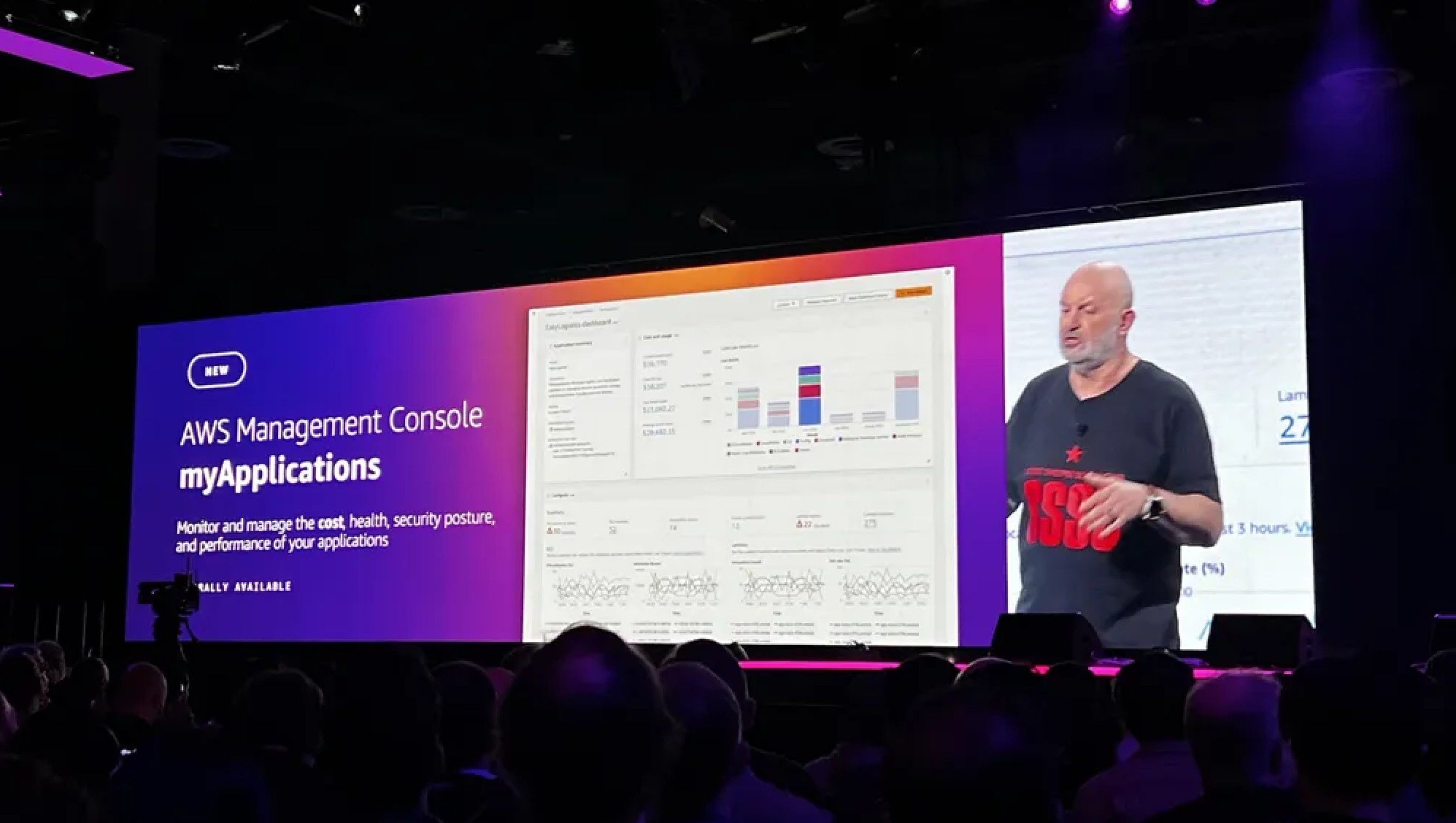
A photograph of the re:Invent keynote. A speaker stands beside a stage-wide screen reading “NEW — AWS Management Console myApplications — Monitor and manage the cost, health, security posture, and performance of your applications — Generally Available”, with a live cost-and-usage dashboard beside the title, over the heads of the audience.

Opportunity and Vision

In 2021, AWS spanned more than 200 services across 25 geographic Regions, while large enterprises managed thousands of accounts. The console mirrored how AWS was built: users selected a region, account, service, then resource. That worked for one database, but not for an application distributed across services, accounts, and regions.
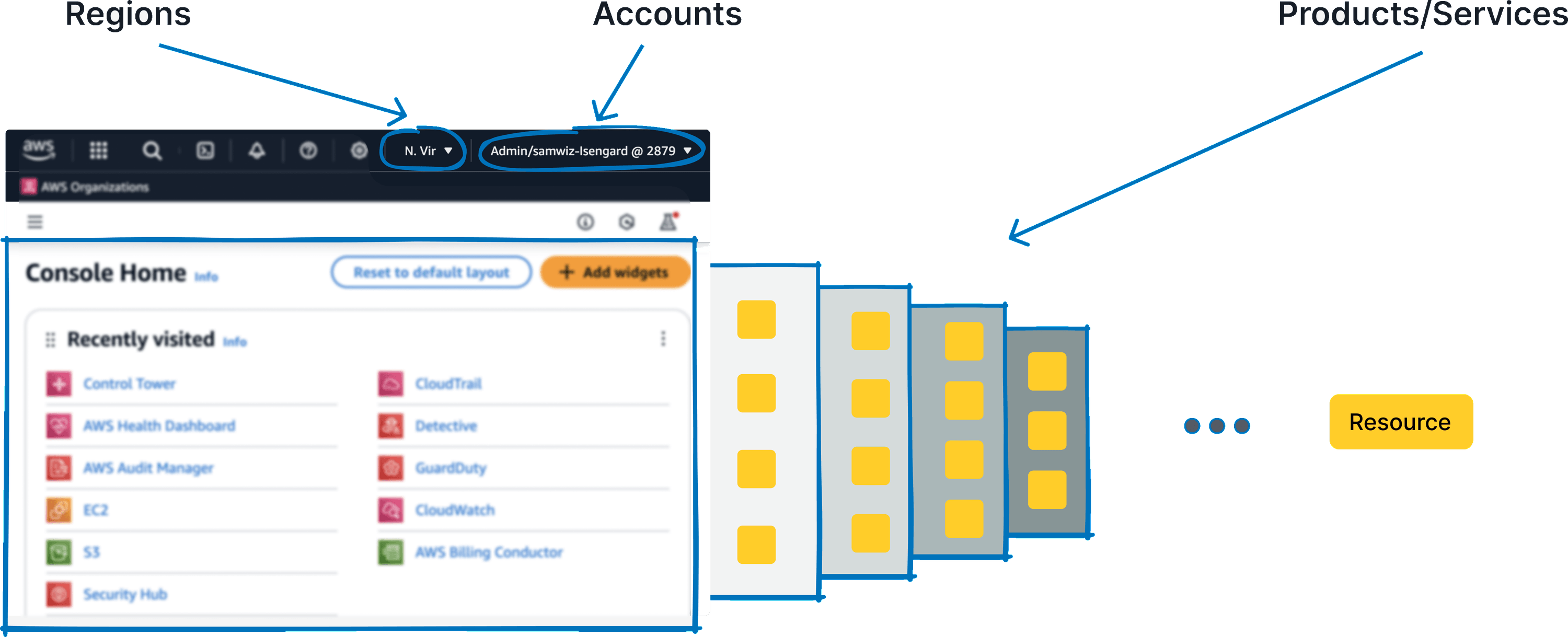
An AWS Console Home screenshot annotated in blue. Arrows labelled Regions and Accounts point at the region picker and the account menu in the top bar; a third labelled Products/Services points past the Recently visited widget at a receding stack of four panels of small resource tiles, which trails off into an ellipsis and a single Resource chip.
The AWS console was organized around three primitives: regions, accounts, and services.

Customers compensated by extracting resource data and stitching it together outside AWS whenever they needed to understand an application’s cost or health. The opportunity was to make the application a first-class AWS object.

Working with a principal engineer and product manager, we defined an application as the metadata, code, and cloud infrastructure that together deliver business value. AppRegistry stored its metadata, Resource Groups associated its resources, and an application tag connected each resource to the group.
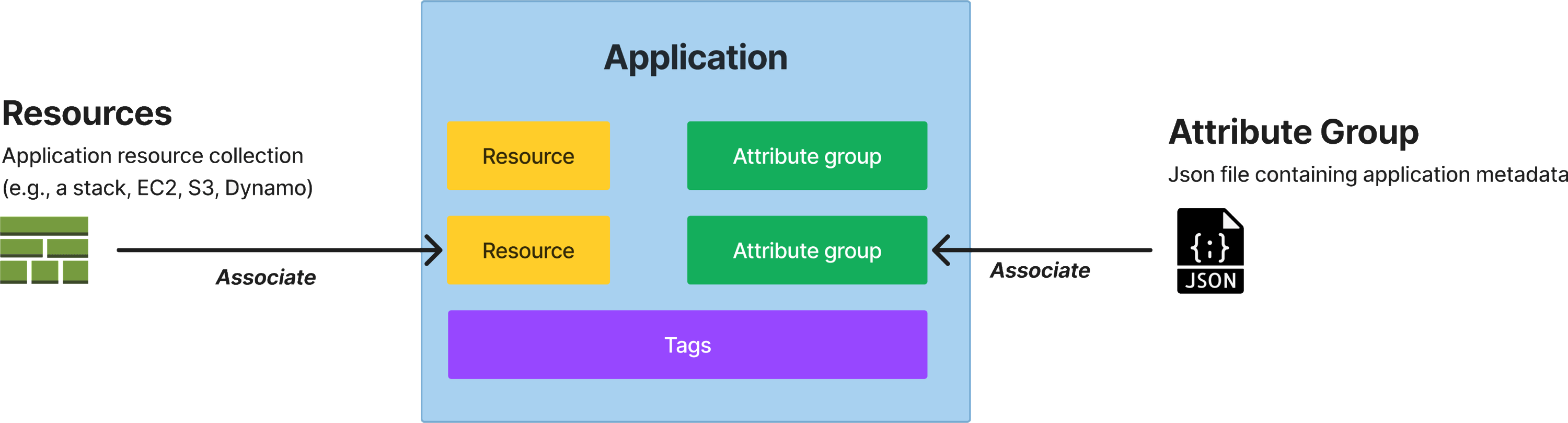
A blue Application container holds two yellow Resource blocks, two green Attribute group blocks and a purple Tags bar. An arrow labelled Associate runs in from the left from Resources — an application resource collection such as a stack, EC2, S3 or Dynamo — and another labelled Associate runs in from the right from Attribute Group, a JSON file containing application metadata.
The AppRegistry application object.

As services adopted this shared object, customers could see an application’s cost, health, security, and performance regardless of where its resources lived. This became an S-Team goal in 2021. I defined the application-centric experience across consoles, CLI, and SDK, then aligned service teams around adopting it.
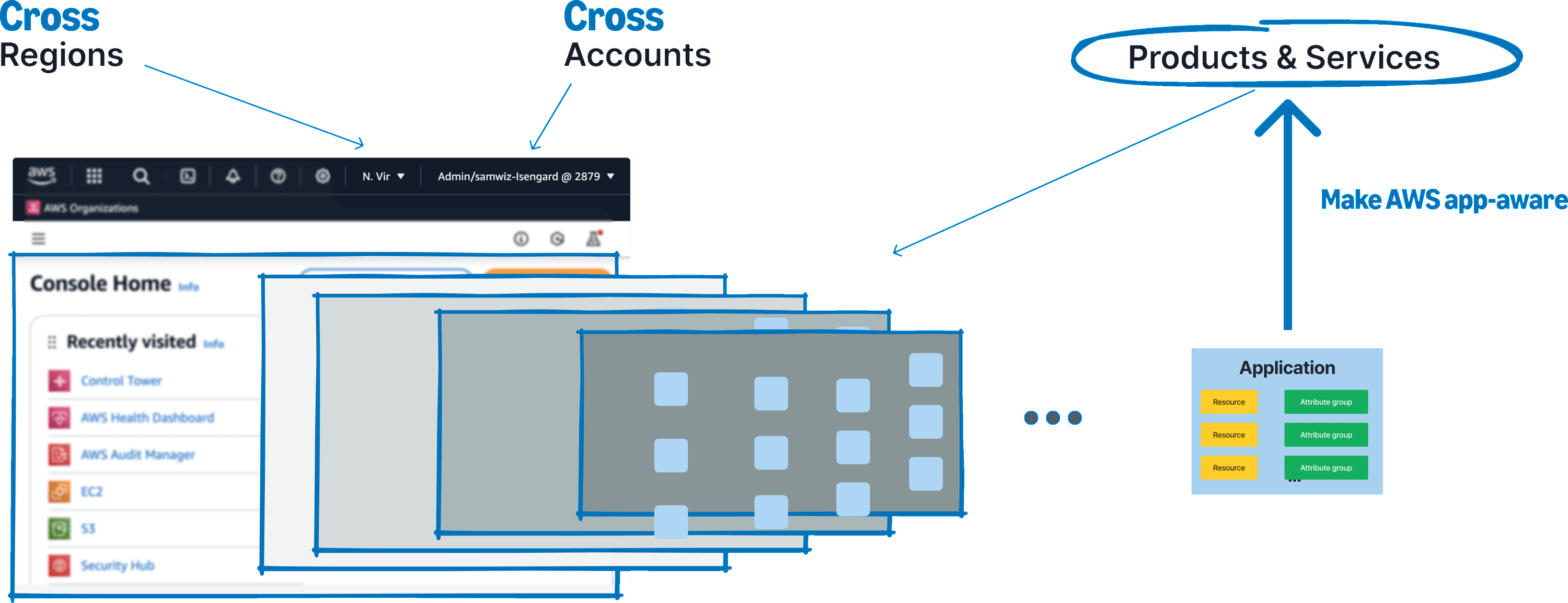
The same console screenshot annotated again, redrawing the earlier diagram. Regions and Accounts are now labelled Cross Regions and Cross Accounts, the receding stack of resource panels is greyed back, and Products & Services is circled at the top right with a heavy arrow rising into it from an Application object below — resources and attribute groups in a box — annotated “Make AWS app-aware”.
The application-centric vision crossed the boundaries between accounts and regions.

Discovery

I worked with PMs and UX designers across 15 service teams to understand how applications should appear in their consoles. Each team proposed a different integration, and adoption was voluntary. Fifteen bespoke solutions would never scale.

The requirements reduced to two patterns. Producer services such as EC2, S3, Service Catalog, and Resilience Manager needed to create applications. Consumer services such as CloudWatch, Cost Explorer, Application Insights, and Security Hub needed to list applications and apply the selected one to an existing view.
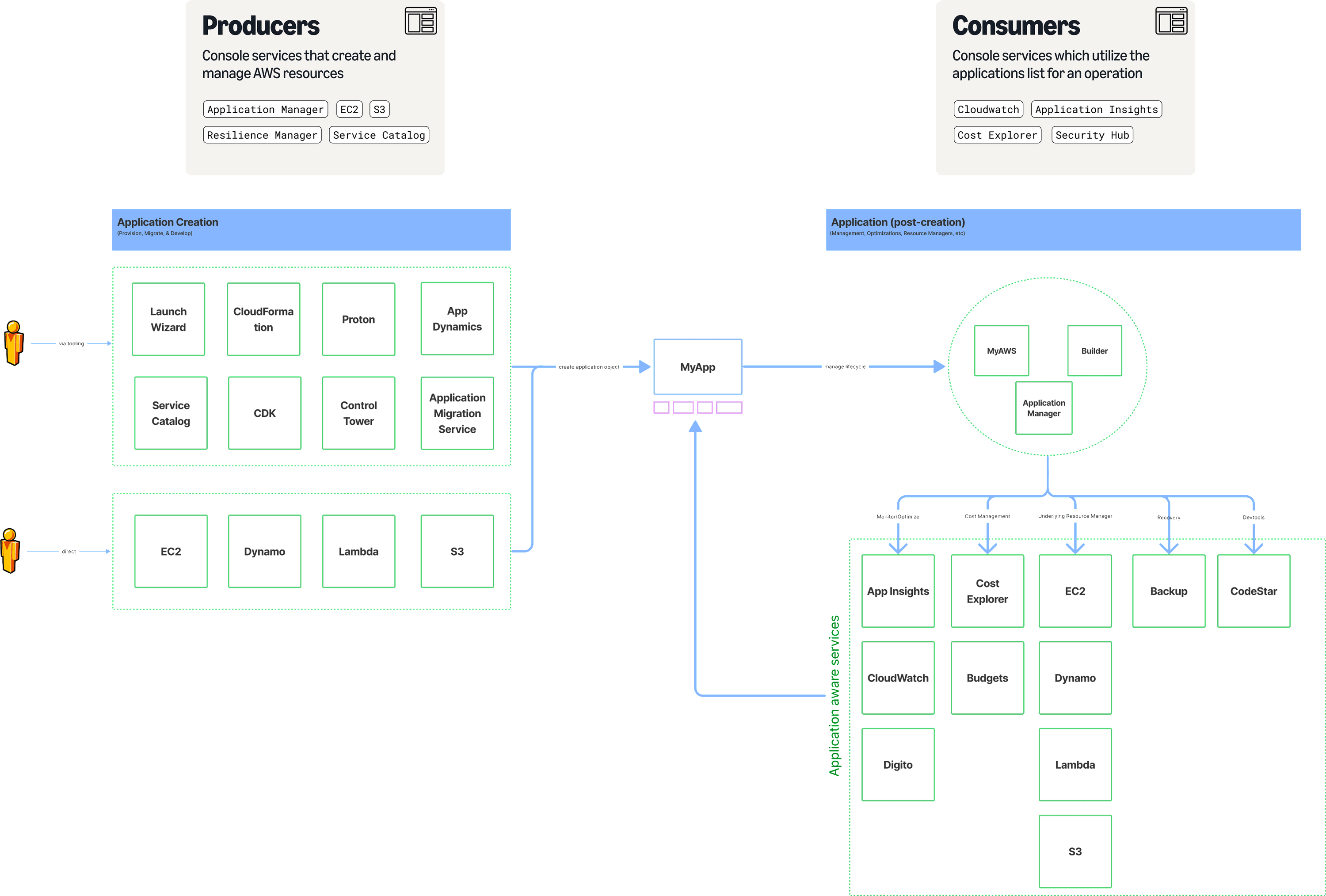
Two cards over a conceptual diagram. Producers: console services that create and manage AWS resources — Application Manager, EC2, S3, Resilience Manager, Service Catalog. Consumers: console services which utilise the applications list for an operation — CloudWatch, Application Insights, Cost Explorer, Security Hub. Below, under Application Creation, a customer reaches two groups of services — Launch Wizard, CloudFormation, Proton, App Dynamics, Service Catalog, CDK, Control Tower, Application Migration Service via tooling, and EC2, Dynamo, Lambda, S3 directly — which feed an arrow labelled “create application object” into MyApp at the centre. Under Application (post-creation), an arrow labelled “manage lifecycle” runs right into MyAWS, Builder and Application Manager, which branch down by Monitor/Optimize, Cost Management, Underlying Resource Manager, Recovery and Devtools into a field of application-aware services — App Insights, Cost Explorer, EC2, Backup, CodeStar, CloudWatch, Budgets, Dynamo, Digito, Lambda and S3 — and back round into MyApp.

This producer–consumer model became the shared reference across AWS. I brought it to stakeholders early so ownership decisions could happen once, against the same system, rather than across 15 separate reviews.

Designing for Service Adoption

The two integration patterns became two reusable Cloudscape components. This allowed service teams to support applications without running their own design process. Since adoption across 10 services was the goal, reducing integration cost was the central design problem.

Creating an application

The creation pattern covered four input groups: name and description, associated resources, attribute groups for metadata, and tags. Resource selection was the hardest part because customers thought in both CloudFormation stacks and individual resources. The picker supported both without becoming a separate workflow and later shipped as a reusable Cloudscape component.
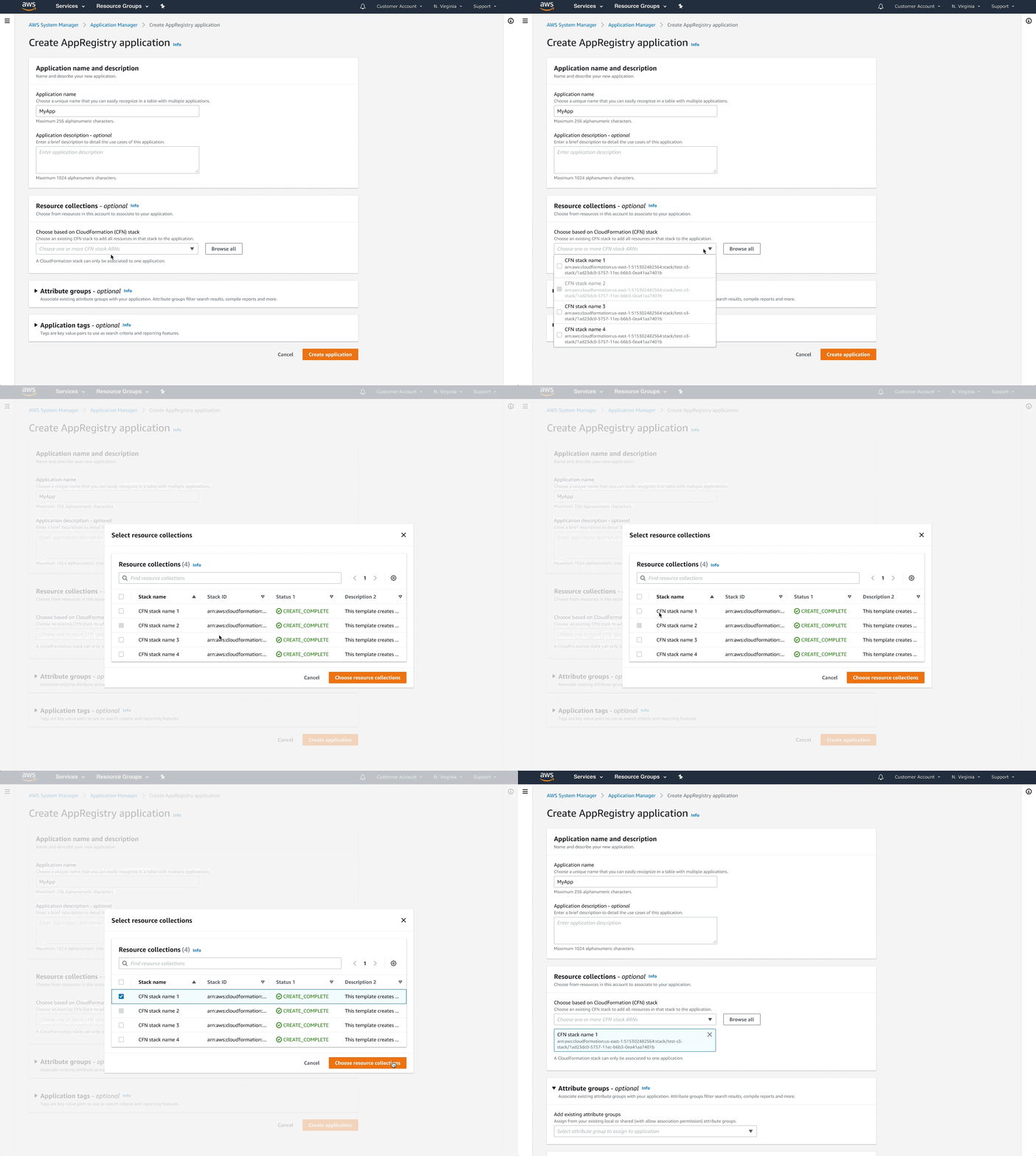
A screen recording of the Create AppRegistry application form inside Application Manager: an Application name and description panel, a Resource collections panel offering a CloudFormation stack picker with a Browse all button, and collapsed Attribute groups and Application tags panels, with Cancel and Create application at the foot.
The create-application flow adopted by producer services.

Selecting an application

The list component showed every application in an account and region, including applications shared across accounts. I designed a compact picker for flows where selection was one step in a larger task, and a full-page version for services with a dedicated application view.
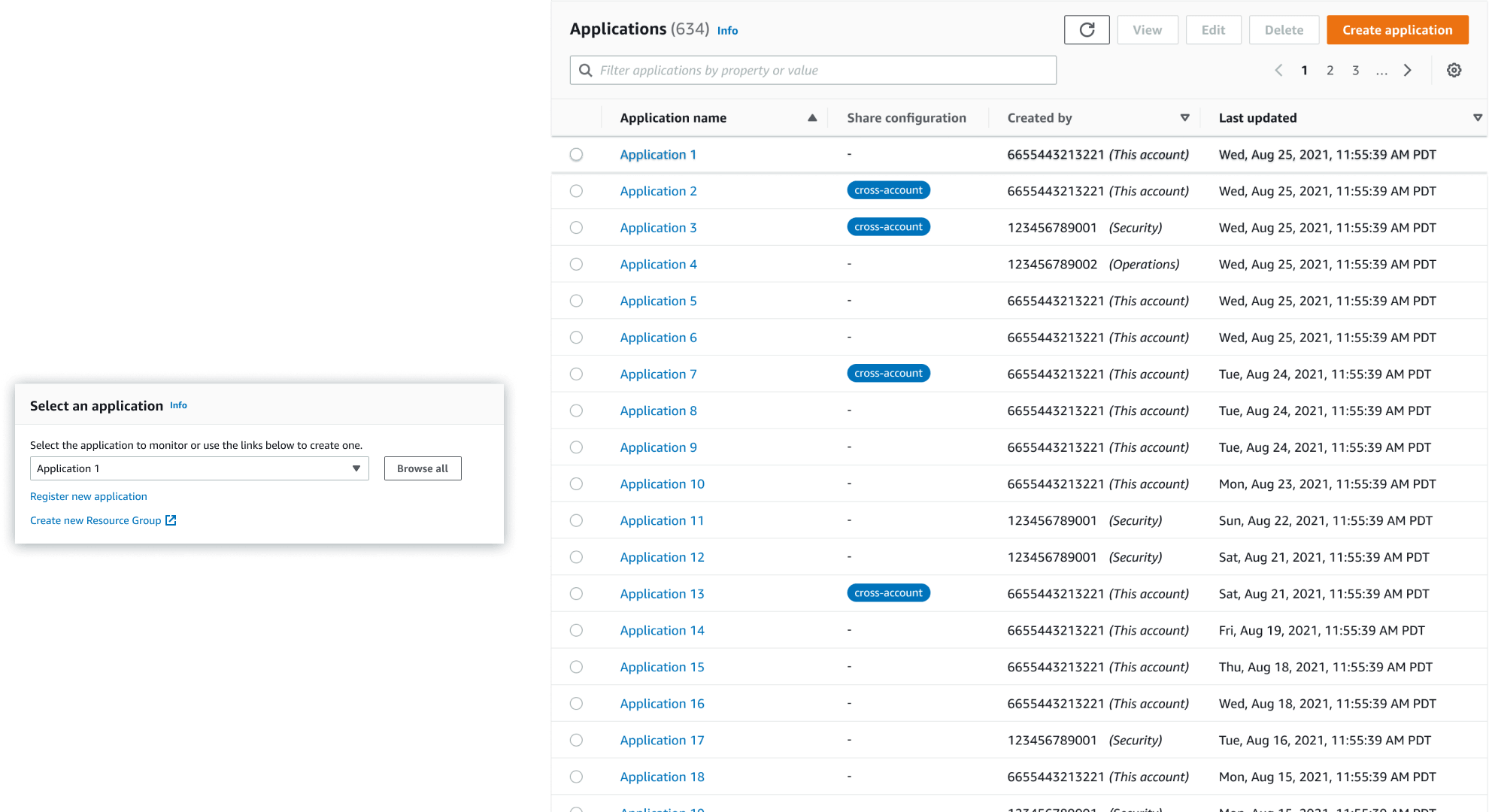
Two versions of the list side by side. On the left, a small Select an application card with a dropdown, a Browse all button and links to register a new application or create a resource group. On the right, a full-page table headed Applications (634) with filter, pagination and settings controls, radio buttons down the first column, and Application name, Share configuration — some rows tagged cross-account — Created by and Last updated columns.
The application list at two sizes: a compact picker and a dedicated full-page view.

Extending the system to Console Home

Console Home was not in the original scope, but the same S-Team goal called for applications there. Because the new surface had no established widget patterns, I partnered with the central UX team to define its design requirements before designing the widget itself.
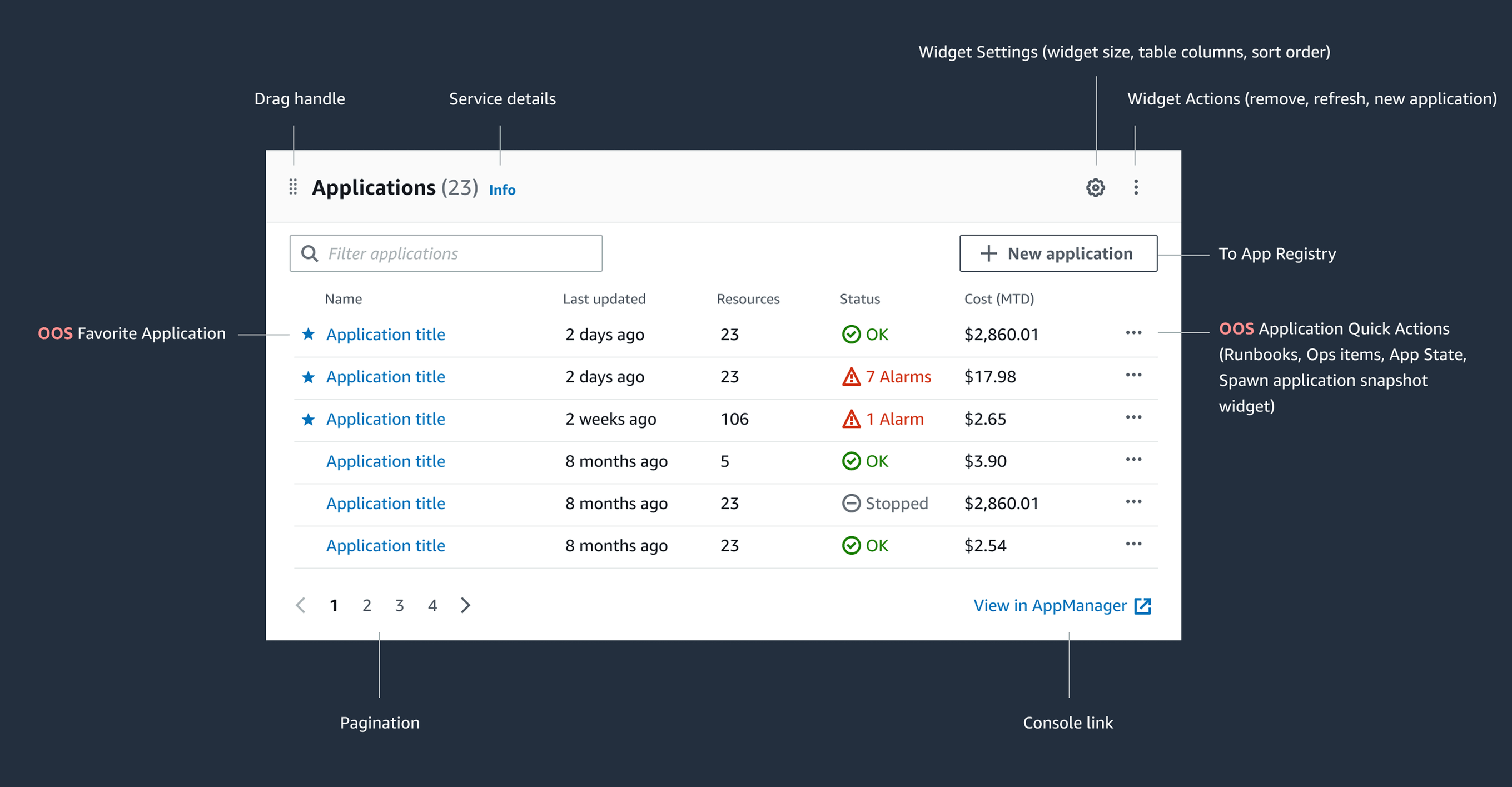
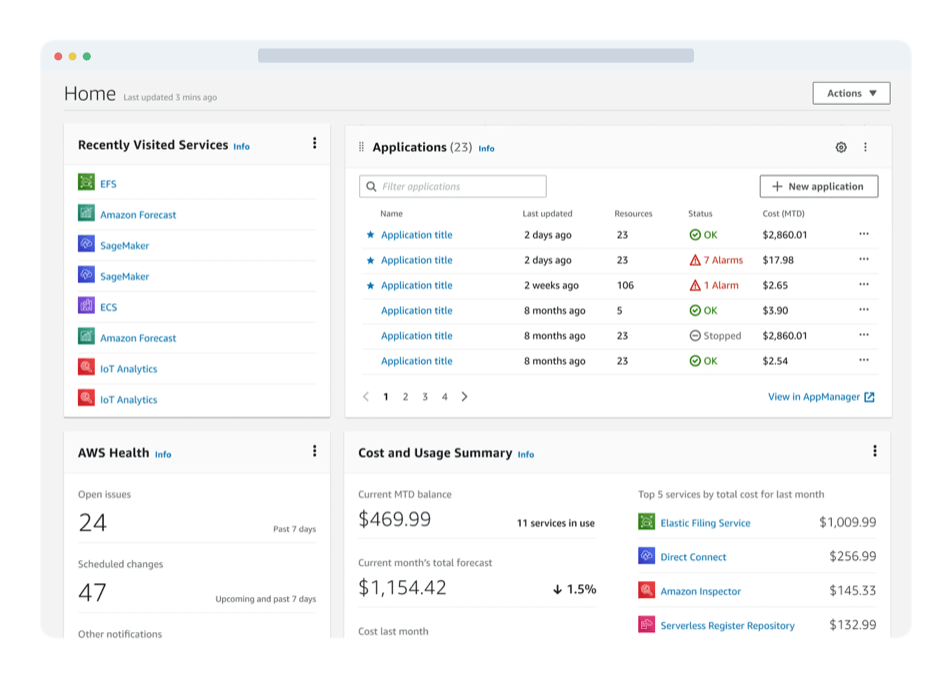
The Applications widget annotated on a dark ground: a table of six applications with name, last updated, resource count, status and month-to-date cost, labelled with its drag handle, service details, widget settings and actions, New application as the route to App Registry, the row quick actions, pagination, and the console link out to AppManager.
The Console Home widget and the behavior we defined for a new surface.

Outcome & Impact

  • 10+AWS services integrated
  • 250 → 2.4KUnique active customers
  • 2% → 15%Month-over-month growth in applications with at least one resource
  • 4thMost-clicked widget on Console Home

as of May 2023

Adoption counted only meaningful use: applications containing resources and customers actively using or updating them. The resource selector also shipped as a reusable Cloudscape component beyond myApplications.

A few launch announcements from the initiative: